Pages

Showing posts with label avast. Show all posts

Wednesday, June 1, 2016

AVAST VERSION 2012 EDISI TERBARU


Avast Antivirus merupakan antivirus yang mampu memberikan perlindungan sangat baik terhadap PC anda, Kelebihan dari Avast Antivirus 2012 selalu melakukan update virus definition secara mudah dan ringan tanpa membebankan komputer. Tampilan Avast antivirus 2012 versi 6 ini tidak jauh beda dengan tampilan generasi sebelumnya.

Fitur fitur seperi Web Reputation masih menjadi salah satu andalan Avast untuk melindungi para pengguna internet untuk situs situs yang berbahaya. Avast antivirus 2012 versi 6 ini menambahkan fitur auto sandbox yang memungkinkan setiap program yang mencurigakan terindikasi ada virus, mallware maupun spyware masuk dalam autosandbox. 


Fitur Web Rep terintegrasi dengan beberapa browser terkenal seperti IE, Firefox dan Google Chrome. Silahkan anda download Avast Antivirus terbaru 2012 versi 6 gratis di bawah iniAuto Sandbox merupakan fitur terbaru dari Avast 6 yang memungkinkan setiap file yang mencurigakan sebagai ancaman keamanan komputer anda akan di masukan ke Sandbox avast

Banyak perbaikan kecil Avast 6 yaitu Bagian Pemecahan Masalah kini hadir dengan pilihan "mengembalikan pengaturan pabrik" atau default setting, yang membuatnya lebih mudah untuk menghapus pengaturan kembali ke titik awal, dan dilengkapi dengan pilihan untuk mengembalikan pengaturan, Dua fitur yang telah hadir di versi gratis Avast 6 adalah Shield Script dan cara memblokir situs. Shield Script sekarang bekerja dengan Internet Explorer 8 dan 9.

DOWNLOAD HERE : 

http://download.cnet.com/3001-2239_4-10019223.html?spi=36987636de6759a27318e596aa5d463b
Read More..

Thursday, March 6, 2014

How to get AVAST INTERNET SECURITY 8 for FREE upto 2050!!!


In this post, we are going to learn How to get AVAST INTERNET SECURITY 8 for FREE upto 2050!!!
It is not a crack/patch work completely. Instead it follows a clean method by patching some portion of the original AVAST INTERNET SECURITY 8.

Why AVAST INTERNET SECURITY 8 ?
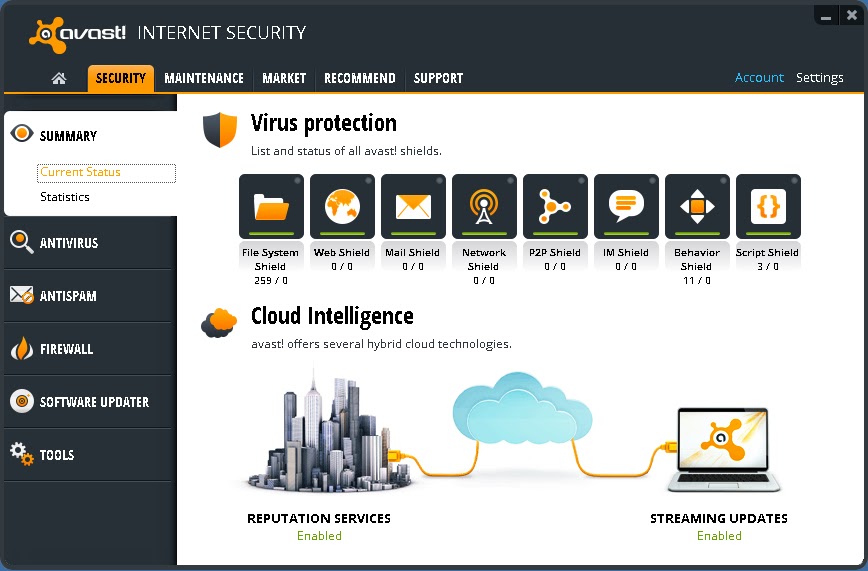
According to cnet downloads, AVAST INTERNET SECURITY 8 is currently ranked #1 in Internet Security Software Suites. It makes it one of the most formidable and powerful antivirus software. Plus it runs both on the basis of virus-definition & online user statistics i.e Once a new virus is found somewhere in the world by an AVAST ANTIVIRUS, it sends it to the command center HQ and the information about that virus is immediately assimilated to all AVASTs all over the world. So it has a virtual immunity system of sorts!

Overall Protection: Avast Internet Security 8 is a complete antivirus solution


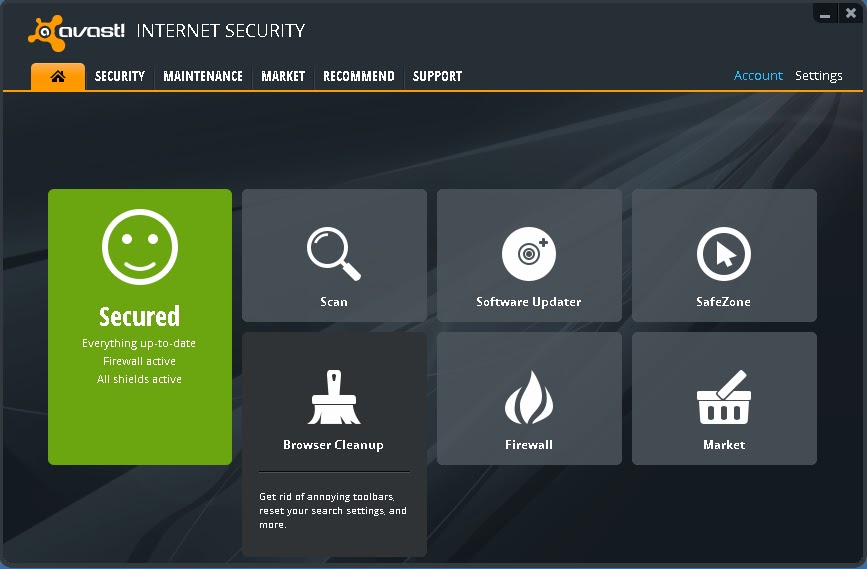
User-Friendly : AVAST has a smartphone like interface as its console.


More than just an antivirus: It has many facilities like Software Updater, Browser Cleanup & Add-on management, Browser restore ; So that you dont have to rely on insecure 3rd party applications!


Okay! This is the part you have been waiting for......

HOW TO GET AVAST INTERNET SECURITY 8 FOR FREE!!

I will skip the explaining on how it works and basically tell you the process step by step.
[If you want details comment below] . Okay Here Goes,....
.
Step 1. First Download all the files that will be listed below and we can start off.
.
Download List:
>>Download Setup<< (Secure: Google Drive Internal Link)
>>Download original License file until 26/09/2013<< (Secure: Google Drive Internal Link)
>>Download License Faker until 2050<< (Secure: Google Drive Internal Link)
[A Secure high speed Dropbox link is being Uploaded or these files.  Links will be here soon]

If the above download Links dont work for you. Please try these alternatives:
>>Download Setup<< (External Link)
>>Download license file until 26/09/2013<< (Mediafire Internal Link)
>>Download license faker until 2050<< (Mediafire Internal Link)
.
Step 2. Unplug the Internet Cable or Disconnect from the Internet. You should stay offline for this. Remove your previous copy of AVAST if you have any!
.
Step 3. Install the given setup of AVAST INTERNET SECURITY 8 in "Trial Mode" (DO NOT USE LICENSE YET!! otherwise avast! will detect two licenses and your IP will be closely monitored.) Now "Restart" the computer.
.
Step 4. After restarting, open the Avast Console by double clicking the Avast icon on your desktop. On the top right option click on "Settings". Go to "Troubleshooting" on the left pane displayed in a new dialog box.
.
Step 5. Deselect or Unmark "Enable avast! self-defense  module". Click on "OK". Then open the Avast folder at C:Program FilesAVAST SoftwareAvast (your root drive may be different) and paste the file "ZeNiX.dll" after you rename it into "Version.dll". Keep "Version.dll" inside C:Program FilesAVAST SoftwareAvastSetup . Delete any "Userenv.dll" if you find any on those two folders.

Step 6.  Now run the registry file named "AVAST XP ZeNiX.reg". After the registry has been successfully added, run the program "Avast License ZeNiX 2012-06-29.exe". It is password protected. Password is "ZeNiX".
.
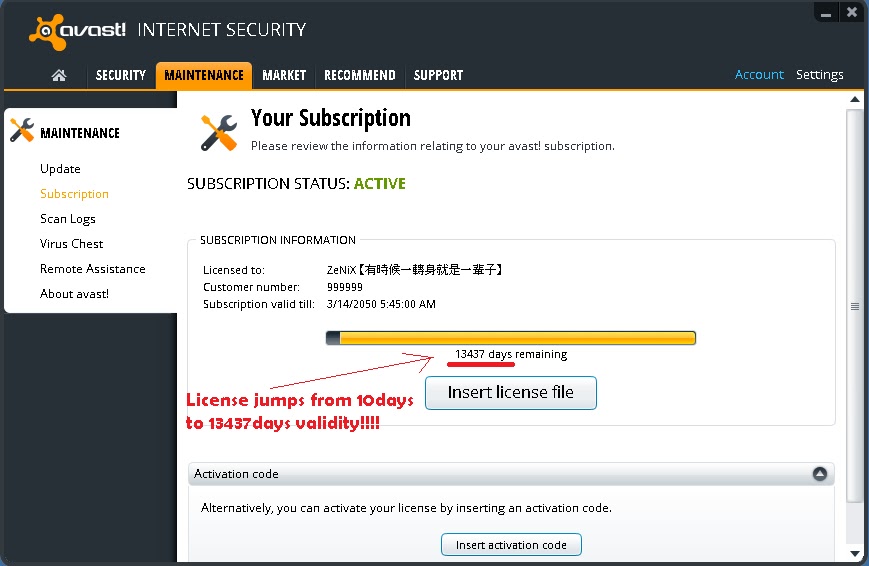
Step 6. Now open Avast Console again by double clicking icon at desktop. From the options given in the tab at the top, select "Maintenance". Then click on "Subscription" on the left pane selection. You will see a "10day" trial subscription. Now below that click "Insert Licence file". Now insert licence file "License.avastlic" and apply. Then you will get 13437days of amazing subscription!!


Step 7. Enable "avast! Self-Protection Module" and then restart. Now reconnect the internet connection. Be protected by software worth $49.5 for absolutely FREE!!
.
**Note : AVAST cost $49.5 (or nearly as much) for a SINGLE computer. This method can be used for multiple computers also which could cost hundreds of dollars!
.
Enjoy! and comment for review and feedback!


COMMENTS:

Read More..